How to Clean Ring Doorbell Lens: Safe Steps for Clear Vision
The Ring doorbell lens can collect dust, fingerprints, and glare that reduce footage quality. Regular, careful cleaning helps maintain optimal performance without risking damage to the camera lens. This guide outlines a practical approach for homeowners in the United States to safely refresh the lens and keep recordings crisp.
Quick Answer
Turn off the doorbell if possible, use a soft, lint-free microfiber cloth, and gently wipe the lens in circular motions. For stubborn grime, apply a small amount of distilled water or a dedicated electronics spray to the cloth—not directly to the lens—and dry with a clean cloth. Avoid harsh cleaners, excessive moisture, or abrasive materials.
What You’ll Need
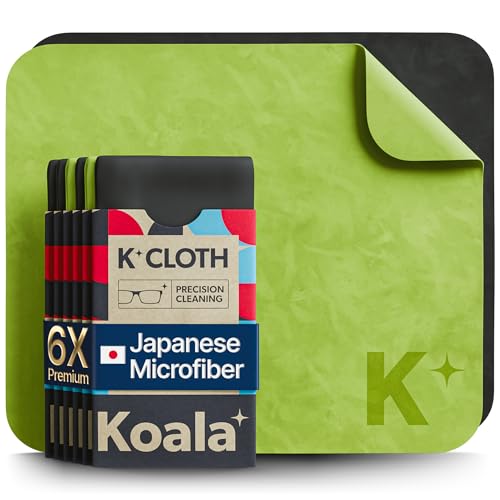
- Ring doorbell lens cleaning kit microfiber cloth
- camera lens cleaning kit electronics spray microfiber for Ring doorbell
- ultra soft microfiber cloth camera lens cleaning wipes electronics


Before You Start
Prepare a dry, non-slip workspace and ensure the device is powered down if feasible. If the doorbell is mounted indoors or outdoors, plan cleaning during a dry window to prevent moisture entry. Important cautions: never spray liquids directly onto the lens or housing, avoid abrasive pads, and do not use household solvents like ammonia or alcohol near the lens, which can damage coatings. Allow the lens to dry completely before testing visibility.
Step-By-Step: How To Clean Ring Doorbell Lens
- Power down or pause doorbell recording if available to avoid false motion alerts during cleaning.
- Inspect the lens for visible dust, smudges, or water spots from rain or condensation.
- Hold the doorbell steady to prevent twisting or loosening mounting hardware while cleaning.
- Gently wipe the lens surface with a clean, dry microfiber cloth in circular motions to lift loose particles.
- If smudges persist, lightly dampen the cloth with distilled water or use a dedicated electronics spray applied to the cloth, not the lens directly.
- Wipe again with a dry portion of the microfiber cloth to remove moisture and evenly distribute cleaner.
- Check the lens from multiple angles to ensure no streaks obstruct the view; repeat if necessary with a fresh area of the cloth.
- Inspect the surrounding camera area for fogging or condensation and wipe as needed; ensure no liquid enters seams or ports.
- Re-test the doorbell’s camera feed from the app to verify improved clarity and exposure.
- Schedule a routine maintenance reminder to clean the lens every few weeks or after heavy weather exposure.
- Store any spare cleaning materials in a clean, dry place away from direct sunlight.
Troubleshooting
| Symptom | Likely Cause | Fix | Prevention |
|---|---|---|---|
| Blurry or streaky footage after cleaning | Streaks from moisture or residue | Re-clean with a dry microfiber cloth, ensuring no cleaner residue remains | Use minimal moisture and apply evenly |
| Lens fogging after cleaning | Condensation on the lens | Wipe dry and wait for ambient temperature to equalize before testing | Clean in a dry environment; avoid cleaning in cold, humid settings |
| Scratches on lens surface | Abrasive material or excessive pressure | Stop cleaning with rough cloths; use only ultra soft microfiber | Keep protective coatings intact by handling gently |
| No improvement after cleaning | Severe smudges or internal optics issue | Consult a professional or contact Ring support | Regular preventative cleaning to prevent buildup |
Common Mistakes
- Using household cleaners with harsh chemicals near the lens
- Spraying liquids directly onto the lens or housing
- Applying heavy pressure with a cloth, causing micro-scratches
- Ignoring condensation after cleaning, leaving moisture behind
Tips For Best Results
- Keep a dedicated electronics cleaning kit for sensitive devices to avoid cross-contamination.
- Use only lint-free microfiber cloths and replace them when they become worn.
- Perform cleaning in a shaded area to minimize rapid drying that can cause streaks.
- Test camera focus after cleaning by comparing video daytime and nighttime clarity.
- Schedule a monthly quick visual check to catch debris early.
Call A Professional
Consider professional help if the lens appears scratched, coating is damaged, or the camera housing shows moisture intrusion behind seals. Stop using the device if you notice exposed wiring, buzzing sounds, or persistent water ingress after cleaning. Contact Ring Support or a qualified technician for evaluation and potential service plans.
FAQ
Can I use tap water to clean the Ring doorbell lens?
It’s better to use distilled water or a dedicated electronics cleaner on the cloth to avoid mineral deposits or residue.
Is it safe to use window cleaner on the lens?
No. Harsh cleaners can degrade coatings and damage the lens. Use approved electronics-safe products instead.
How often should I clean the Ring doorbell lens?
Clean when you notice smeared footage or after heavy weather; many homeowners schedule a light monthly wipe.
What if the lens is foggy after cleaning?
Allow time for condensation to evaporate in a dry, stable environment, then re-test the feed.
Should I disassemble the doorbell to clean the lens?
Do not disassemble the unit. Cleaning the exterior lens only is advised; consult support for internal access.
What if the video quality remains poor after cleaning?
Try a second cleaning pass, verify the lens is clean, and check the lighting and exposure settings in the Ring app.
Is there a protective cover I should use?
Protective lenses exist but are not always necessary; ensure any cover does not cause glare or blur.
Can I clean other parts of the Ring device at the same time?
Yes, you can gently wipe the housing and solar panels if present, but avoid moisture near sensors and ports.
Buying Guide
When selecting cleaning supplies for a Ring doorbell lens, consider compatibility with electronics and safety of coatings. Look for ultra-soft microfiber cloths and non-abrasive cleaners designed for lenses. A dedicated camera lens cleaning kit often includes a safe spray, wipes, and a lint-free cloth, which reduces the risk of residue. Choose products that are non-corrosive and quick-drying to minimize downtime. If you own multiple Ring devices, streamlining supplies into a single kit can simplify routine maintenance.
Key buying factors include the size of the kit (enough for multiple cleanings), the presence of a spray bottle (preferably electronics-safe), and the availability of additional wipes or cloths. Noise level and energy efficiency do not apply to cleaning products, but ease of use and safety are essential. Think about storage: a small, rugged case helps keep cleaning tools organized and accessible near the entryway or utility closet.
Would you rather use a comprehensive kit or buy individual items? A kit with a combination of microfiber cloths and safe cleaning solutions often provides the best value and ease of use. Always verify that cleaners are suitable for camera lenses and electronic surfaces to protect coatings and performance.
Leave a Reply