How to Reset and Clean the LG Air Conditioner Filter
LG air conditioners rely on clean filters to maintain efficiency and cooling performance. Resetting the filter indicator after cleaning helps the unit run correctly and prevents false alarms. This guide covers practical steps for typical LG window and mini-split models, using common cleaning tools and safe practices.
Quick Answer
Turn off the unit and unplug it. Remove the filter, brushed clean or rinse with water, let it dry completely, reinsert, and reset the counter or indicator on the control panel following the model’s instructions. If a dedicated reset button exists, press and hold it for a few seconds until the display confirms the reset.
What You’ll Need
- LG window AC filter cleaning brush kit
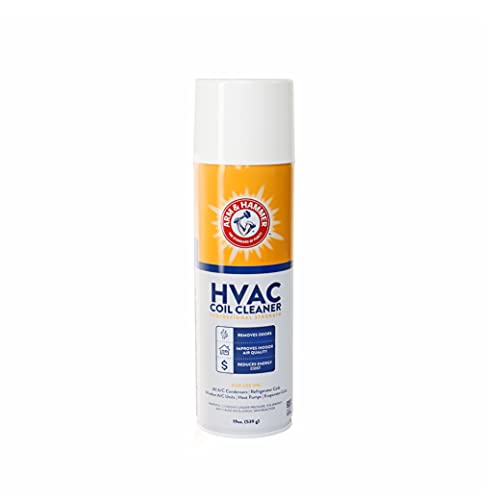
- mini split AC coil cleaner kit with brush
- air conditioner filter cleaning spray bottle and maintenance toolkit


Before You Start
Ensure the unit is powered off and unplugged before any maintenance. Protect the surrounding area from moisture or cleaning solution, especially if you’re cleaning near electronics. Allow the filter to dry completely before reinstallation to avoid mold growth. Important: if you notice damage to the filter frame or seals, do not force the filter back in; replace it instead. Estimate 15–30 minutes for a standard filter cleaning, longer if you’re cleaning multiple units.
Step-By-Step: How To Reset And Clean The LG AC Filter
- Unplug the unit and locate the air intake access panel or filter cover on the front or side of the LG unit.
- Open the panel and carefully remove the filter. Note its orientation for correct reinstallation.
- Brush off loose dust with the LG window AC filter cleaning brush kit or use a gentle tap to remove debris.
- For stubborn grime, rinse the filter under lukewarm water. If oil or grease is present, use the air conditioner filter cleaning spray bottle and maintenance toolkit as directed on the label.
- Shake off excess water and let the filter air-dry completely in a well-ventilated area away from direct sunlight.
- Reinsert the dry filter into the unit with the correct orientation, ensuring it sits flush against the gasket.
- Plug the unit back in and turn it on. Access the control panel and locate the filter reset option. Press and hold the reset button (or sequence) until the indicator resets to normal.
- If your model uses a timer or mode memory, reset those settings as needed after the filter reset.
- Run the unit on a test cycle to confirm clear airflow and no flashing indicators.
- Document the maintenance in a simple log for future reference, including date and any replacement parts if applicable.
- Repeat this process for any additional LG units in the space to maintain consistent performance.
- Schedule routine cleanings every 1–3 months in peak seasons, and more often in dusty environments.
Troubleshooting
| Symptom | Likely Cause | Fix | Prevention |
|---|---|---|---|
| Indicator remains lit after reset | Incorrect filter orientation or incomplete dry time | Recheck orientation, re-clean, ensure fully dry, then reset | Follow drying times and ensure proper seating |
| Noisy operation after cleaning | Debris stuck in intake or loose panel | Inspect and clear any debris; reseat panel securely | Gently handle the filter and panels during maintenance |
| Weak airflow | Clogged filter or restricted ducting | Deep clean or replace filter; inspect duct paths | Regular cleaning before high-usage periods |
| Water leakage near the unit | Over-wetting during cleaning or improper drainage | Limit water exposure to the filter area; ensure proper drainage | Use minimal water and air-dry thoroughly |
Common Mistakes
- Using excessive moisture on the filter; it takes longer to dry and can promote mold.
- Forcing the filter back into place if it doesn’t seat cleanly.
- Neglecting to reset the indicator after cleaning, leading to false alerts.
- Using harsh cleaners that can degrade filter material or seals.
Tips For Best Results
- Clean filters during mild weather to speed up drying and reduce moisture buildup inside the unit.
- Use the right tools from the cleaning kits to avoid damaging the filter frame.
- Mark the date on the filter or keep a maintenance log to track when to refresh or replace.
- Inspect seals and louvers for dust buildup after each cleaning cycle.
- Consider replacing disposable filters on a schedule suitable for your air quality needs.
Call A Professional
Stop and seek professional help if any of the following occur: persistent leakage, unusual smells after cleaning, visible mold growth on components, or the unit fails to cool effectively after a reset. Also contact a pro if the model requires specialized refrigerant handling or hard-to-access maintenance.
FAQ
How often should I reset the LG AC filter indicator?
Reset after every thorough cleaning or replacement to avoid false alerts.
Can I use household cleaners on LG filters?
Avoid aggressive cleaners; use recommended spray bottles and gentle brushes designed for filters.
What if the panel won’t close after cleaning?
Check for debris, ensure the filter is correctly oriented, and reseat the panel firmly.
Is there a difference between window and mini-split units for cleaning?
The basic steps are similar, but follow model-specific instructions for access panels and reset methods.
Buying Guide
Choosing replacement filters and cleaning accessories for LG air conditioners involves several key factors. First, consider size compatibility with your unit (window or mini-split). Noise level and energy efficiency impact overall comfort, especially in bedrooms and home offices. Look for filters with easy maintenance and clear indicators to simplify routine cleaning. Controls on the unit or remote should be intuitive for quick reset after cleaning. Placement matters: avoid obstructing airflow by positioning units away from heavy curtains or furniture. Compare coil cleaners and spray bottles for compatibility with your filter type and cleaning frequency. Finally, review availability of maintenance kits that include brushes and replacement filters to streamline ongoing care.
Leave a Reply