How to Clean a SteelSeries Mousepad
Maintaining a clean mousepad helps preserve glide, sensor accuracy, and overall comfort during long gaming sessions. This guide covers simple, effective methods to refresh a SteelSeries mousepad using common cleaning supplies and careful techniques to avoid damage.
Quick Answer
For a quick refresh, wipe the surface with a damp microfiber cloth, spot-clean stains with a mild soap solution, and air-dry completely before reuse. For stubborn stains, a gentle brush and a light wipe with 70% isopropyl alcohol can lift grime without harming the pad. Always ensure the pad is fully dry before use.
What You’ll Need
- microfiber cleaning cloth for electronics
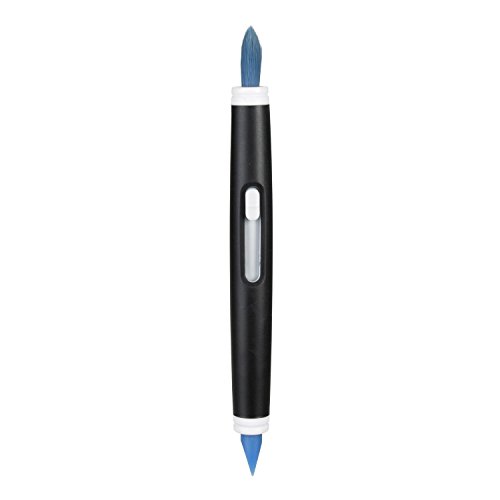
- soft bristle brush for keyboard and mouse cleaning
- 70% isopropyl alcohol wipes electronics


Before You Start
Work on a clean, flat surface and keep liquids away from edges to prevent spills. Test any cleaning solution on a small area first to ensure no color transfer or material damage. Allow extra drying time if the pad is unusually damp. Estimate cleaning time: 10–20 minutes depending on stains.
Safety note: avoid soaking the pad or using harsh solvents, which can degrade the surface or adhesive. If the pad is fabric-backed, excess moisture can seep through to the backing and warp the underside.
Step-By-Step: How To Clean A SteelSeries Mousepad
- Unplug and remove any devices from the pad; place it on a dry, clean towel.
- Gently shake or brush away loose particles with a soft bristle brush for keyboard and mouse cleaning to avoid grinding grit into the fabric.
- Mix a mild cleaning solution if needed: a drop of gentle liquid soap with warm water, or use a damp microfiber cloth alone for light cleaning.
- Wipe the surface with the damp microfiber cleaning cloth, using broad, even strokes to lift oils and sweat from the pad.
- For stubborn spots, apply a small amount of the cleaning solution to the cloth and gently rub in circular motions, then wipe away with a clean, damp section of the cloth.
- If you encounter persistent stains, use a 70% isopropyl alcohol wipes electronics wipe sparingly on a corner, testing first to ensure no discoloration.
- Rinse lightly with a fresh damp cloth to remove any soap residue, if you used soap in step 3.
- Blot excess moisture with a dry towel and let the pad air-dry completely in a well-ventilated area away from direct heat or sunlight.
- Once dry, recheck for limp spots or still-damp areas before returning it to use.
- Optionally, apply a light layer of fabric-safe conditioner or simply re-lay on a flat surface to maintain smoothness of the texture.
- Reposition the mouse and keyboard when the pad is fully dry to restore your gaming setup.
Troubleshooting
| Symptom | Likely Cause | Fix | Prevention |
|---|---|---|---|
| Streaks or color transfer | Over-wetting or strong cleaners | Use minimal moisture; switch to water or mild soap only | Test cleaners on a small area first |
| Rubbing off surface texture | Excessive scrubbing | Switch to gentler strokes and shorter sessions | Use a microfiber cloth and soft brush |
| Sticky residue after cleaning | Soap residue | Rinse with a damp cloth and dry thoroughly | Avoid leaving soap films on fabric |
| Pad warps while drying | Over-wetting or heat exposure | Pat dry and air-dry flat away from heat | Limit moisture and avoid direct sun |
Common Mistakes
- Using harsh solvents or bleach that can damage the pad surface
- Soaking the pad or letting liquids pool underneath
- Scrubbing aggressively, which can wear down the texture
- Skipping thorough drying, leading to mold or odor
Sticking to gentle cleaning methods ensures longevity and maintains glide performance.
Tips For Best Results
- Perform routine quick cleanings to prevent heavy buildup
- Always dry completely before reusing to avoid damp sensors or moisture on electronics
- Use a dedicated microfiber cloth for electronics to avoid transferring oils
- Store the pad flat when not in use to prevent creases
These practical tips help maintain the pad’s texture and feel, ensuring consistent performance over time.
Call A Professional
Seek professional help if the pad shows signs of persistent odor, mold, or warping that does not improve after thorough cleaning. If the surface becomes discolored beyond recovery or if the protective coating appears damaged, contacting SteelSeries customer support or a cleaning specialist is advisable.
FAQ
Can I wash a SteelSeries mousepad in a washing machine?
Washing machines can be harsh on fabric-backed mousepads; air-drying after a gentle hand-cleaning is typically safer.
What cleaner is best for a SteelSeries pad?
A mild soap solution or just a damp microfiber cloth is effective; use isopropyl wipes sparingly on stubborn spots.
How long should the pad dry after cleaning?
Allow at least 4–6 hours for complete drying in a well-ventilated area, longer in humid environments.
Will cleaning affect glide performance?
Proper cleaning should restore glide; avoid harsh scrubbing that can alter the pad’s texture.
Is alcohol safe on all SteelSeries pads?
Alcohol should be used sparingly and tested on a small area first to ensure no discoloration or texture change.
Buying Guide
When choosing a replacement or additional mats for gaming setups, consider several key factors:
- Size and desk space: Choose a pad size that fits your mouse movement and desk area.
- Texture and material: Fabric-backed pads offer different glide and durability compared to hard surfaces.
- Surface consistency: A consistent surface prevents sensor jitter and uneven wear.
- Durability: Look for reinforced edges and low-fray fabrics for longer life.
- Cleaning ease: Fabrics that tolerate light cleaning without fading are preferable.
- Placement: Ensure the pad matches your desk height and chair setup for ergonomic comfort.
- Noise and mat stability: Non-slip bases reduce movement and noise during play.
- Budget: Weigh cost against expected lifespan and cleaning requirements.
Comparing options helps find a pad that balances feel, durability, and maintenance. If a pad ranks highly on glide and cleaning ease, it can save time over the long term. Do you prefer a compact pad for portability or a large one for expansive mouse movement? The right choice enhances comfort and performance.
Leave a Reply