How to Clean a Phone Cover
Cleaning a phone cover regularly helps maintain hygiene and keeps the case looking new. This guide explains a practical, safe method using common supplies and optional tools to tackle everyday grime, fingerprints, and bacteria without damaging the case or phone.
Quick Answer
Remove the case, wipe with a damp microfiber cloth, gently scrub with a soft bristle brush for stubborn spots, dry completely, and if available, sanitize with a UV phone sanitizer box for an extra layer of cleanliness.
What You’ll Need
- Microfiber cleaning cloth for phone case
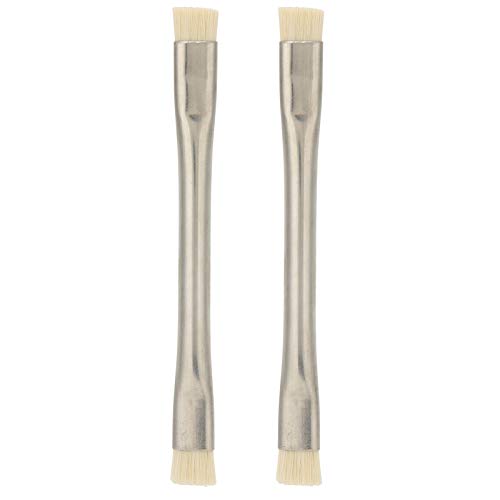
- Soft bristle cleaning brush for phone case
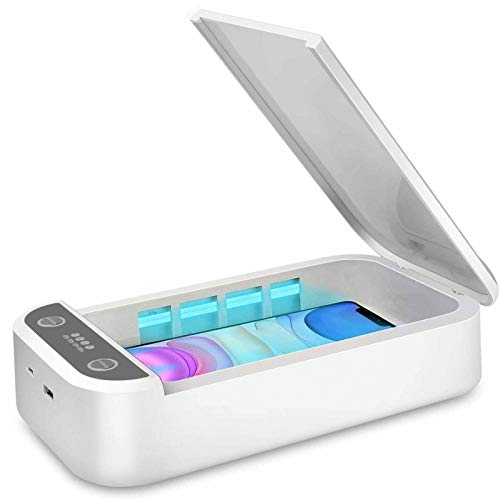
- UV phone sanitizer box (optional)

Before You Start
Before cleaning, power off the device and remove the phone from the case if possible. Work on a soft, flat surface to avoid scratches. Check the case material: silicone, hard plastic, or TPU cases tolerate damp cleaning differently. Do not submerge leather or fabric cases in water, as moisture can seep inside and damage the interior. Avoid harsh cleaners, alcohol, or bleach, which can degrade finishes and adhesives over time. Expect a cleaning session to take about 5–10 minutes for a typical case.
Step-By-Step: How To Clean A Phone Cover
- Detach the phone from the case and set the phone aside in a safe place.
- Dry brush the exterior with the soft bristle cleaning brush for phone case to loosen surface debris.
- Lightly dampen the microfiber cleaning cloth for phone case with water or a mild, non-abrasive cleaner. Wring out excess liquid.
- Wipe the entire exterior surface in gentle, circular motions, paying extra attention to corners and edges where grime builds up.
- For stuck-on grime, re-wet the cloth and repeat, using a soft brush in small circular motions to lift residue.
- Rinse the cloth and wipe away any cleaner residue to prevent sticky buildup.
- Dry the case completely with a dry microfiber cloth. Let it air-dry for a few minutes if needed before reattaching the phone.
- Optionally place the case in a UV phone sanitizer box for a quick sanitizing cycle following the manufacturer’s instructions.
- Reassemble: snap the case back onto the phone and confirm the fit is secure.
- Inspect for moisture pockets or residue and repeat a light wipe if necessary.
- Store or use the case normally, keeping it away from direct heat or sun to prevent warping.
Troubleshooting
| Symptom | Likely Cause | Fix | Prevention |
|---|---|---|---|
| Stubborn stains persist | Deep-seated grime or oily residue | Use a tiny amount of mild soap on cloth and gently scrub with the brush | Clean weekly to prevent buildup |
| Case remains sticky after cleaning | Cleaner residue | Rinse cloth, wipe thoroughly, and dry completely | Use minimal cleaner and avoid harsh chemicals |
| Water spots after cleaning | Moisture trapped in crevices | Dry with microfiber and air-dry fully | Pat dry and avoid soaking areas with tight gaps |
| Discoloration on silicone/TPU | Ageing material or heavy cleaning | Limit cleaning frequency; switch to gentler products | Spot-clean rather than full submersion |
Common Mistakes
- Using harsh chemicals or bleach on any phone case material
- Soaking cases or letting moisture seep into openings
- Rubbing too hard with brushes or rough cloths, causing micro-scratches
- Not drying the case completely before reassembly
- Relying solely on UV sanitizers without cleaning visible grime
Tips For Best Results
- Clean the case in a well-ventilated area to avoid lingering cleaner odors
- Regular light cleaning prevents heavy buildup and extends case life
- Test cleaners on a small inconspicuous area first to ensure compatibility
- If the case has multiple materials (soft overlays and hard shells), clean each section carefully according to its material
- For leather or fabric portions, seek material-specific care instructions or consult the manufacturer
Call A Professional
If the case shows signs of structural damage, persistent odor, or you notice swelling or cracks near the seams, stop using it and consult a professional or replace the case. Do not force open seams or attempt aggressive repairs that could expose the phone to moisture.
FAQ
Can I clean my phone case with soap and water?
Yes, use a small amount of mild soap and lukewarm water on the microfiber cloth. Wipe and rinse the cloth to remove soap residue, then dry completely.
Is a UV phone sanitizer box safe for phone cases?
UV sanitizers can help reduce surface bacteria when used as directed. They should complement, not replace, regular wiping to remove grime and prevent moisture buildup.
How often should I clean my phone case?
Clean most cases every one to two weeks with light wipes, and perform a more thorough cleaning monthly if you notice sticky residues or heavy use.
What materials require special care?
Leather, fabric, or rubber parts may have unique care instructions. Avoid soaking and use manufacturer guidelines when available.
Buying Guide
When selecting a phone case cleaning setup, consider size, noise, energy use, controls, and placement to fit your lifestyle. For most users, a simple kit with a microfiber cloth, a soft brush, and an optional UV sanitizer box provides flexible cleaning power without complexity.
Key Buying Factors
- <bCase material compatibility: Silicone, TPU, hard plastic, leather, or fabric each respond differently to moisture and cleaners.
- <bCleaning effectiveness: A soft brush helps with crevices; microfiber cloths remove smudges without scratching.
- <bNoise and ease of use: Manual cleaning is quiet and quick; UV sanitizers add a hands-off step but may be slower.
- <bEnergy efficiency: UV boxes consume little power; consider models with auto-off and minimal standby.
- <bControls and usability: Simple on/off cycles and clear instructions improve reliability and safety.
- <bPlacement: A clean, dry surface near natural light helps you monitor residue and drying progress.
For practical use, a compact microfiber cloth paired with a soft brush covers routine maintenance, while an optional UV sanitizer box adds an extra layer of hygiene. Would you benefit from a combined kit or separate tools? Consider your case material, cleaning frequency, and how much time you want to invest per cleaning session.
Leave a Reply