How to Clean a Desk Pad Effectively
Desk pads help protect surfaces and add a touch of organization to a workspace. Regular cleaning removes dust, spills, and oils that accumulate from daily use. This guide provides a clear, practical method for restoring the look and feel of a desk pad, whether it’s made from PU leather or genuine leather, or a fabric-backed surface.
All steps prioritize safety and material care. Readers will find a quick overview, a complete step-by-step process, troubleshooting tips, and practical buying guidance to choose compatible cleaning supplies.
Quick Answer
Dust and wipe the desk pad with a microfiber cloth for light cleaning. For heavier stains on PU leather or leather desk mats, use a dedicated cleaner and conditioner designed for the material, then buff with a dry cloth. Always test any cleaner in a small, inconspicuous area first.
What You’ll Need
- Microfiber cloth for desk pad cleaning
- Leather desk mat cleaning kit
- PU leather desk pad cleaner and conditioner
- Clean water in a small bowl
- Soft-bristle brush or sponge (optional for textured surfaces)
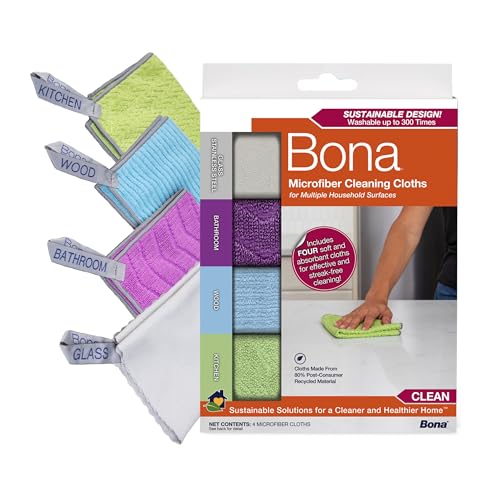


Before You Start
Inspect the desk pad for the material type: PU leather, genuine leather, or fabric. Identify stains or areas that feel sticky or greasy. Test any cleaner in a hidden corner first to avoid discoloration or damage. Clear the workspace, and place a protective mat beneath in case of drips. Cleaning time typically takes 15–30 minutes, plus drying time if using a liquid cleaner.
Note that leather products require conditioning after cleaning to maintain suppleness. Avoid harsh solvents, abrasive scrubbers, or high heat, which can damage finishes and surface coatings.
Step-By-Step: How To Clean A Desk Pad Effectively
- Remove loose dust with a dry microfiber cloth, sweeping in the same direction to lift particles without scratching the surface.
- For PU leather or leather desk pads, apply a small amount of cleaner to a damp microfiber cloth and wipe in gentle, circular motions. Do not saturate the surface.
- If stains persist, use a soft-bristle brush or sponge on a damp cloth and work the area gently; avoid aggressive scrubbing.
- Rinse the cloth with clean water and wipe away any cleaner residue. Dry the area with a new microfiber cloth to prevent streaks.
- For leather desk mats, apply a conditioner after cleaning. Use a separate clean cloth and apply sparingly to avoid over-conditioning.
- Let the desk pad air dry completely before use. Maintain ventilation and avoid direct sunlight that can fade color or dry out leather.
- Buff the surface with a dry microfiber cloth to restore luster and remove any remaining moisture.
- Reassess the pad for residual odor or residue; repeat light cleaning if needed using minimal cleaner on a damp cloth.
- Regular maintenance: wipe weekly to prevent buildup and condition leather mats every few months as needed.
- Store or place the desk pad on a clean, dry surface when not in use to prevent dust accumulation and moisture damage.
- For mixed materials, follow the product-specific directions on the cleaner or conditioner’s label to avoid cross-contamination.
- Document any repeated stains and adjust cleaning frequency to maintain long-term appearance and performance.
Troubleshooting
| Symptom | Likely Cause | Fix | Prevention |
|---|---|---|---|
| Streaks after cleaning | Residue from cleaner | Wipe with a clean damp cloth, then dry thoroughly | Use minimal cleaner and a microfiber cloth |
| Discoloration on leather desk pad | Incompatible cleaner | Test in a hidden area and switch to a leather-specific product | Always use products designed for leather |
| Sticky feel after cleaning | Residue or oil buildup | Repeat light cleaning with damp cloth and dry completely | Avoid over-wetting the surface |
| Fading color | Sunlight exposure | Move to shaded area and clean with color-safe products | Place away from direct sun |
Common Mistakes
- Using abrasive cleaners or brushes that scratch the surface
- Over-wetting PU or leather with water or cleaner
- Skipping a test patch before full cleaning
- Neglecting to condition leather desk mats after cleaning
Tips For Best Results
- Choose a microfiber cloth specifically for delicate surfaces to minimize scratching.
- Work in small sections to control moisture and clean evenly.
- Label and separate products for PU leather, genuine leather, and fabric-backed pads to prevent cross-contamination.
- Condition leather desk mats on a schedule to maintain suppleness and appearance.
- Keep your workspace well-ventilated during cleaning to reduce chemical odor and drying time.
Call A Professional
Consider professional cleaning if the desk pad has deep stains, severe odor, or structural damage such as cracking in leather or peeling coatings. Seek help if the pad is unusually valuable or if cleaning could affect warranties. If you notice color bleed onto clothing or other surfaces despite cleaning, contact a pro for assessment.
FAQ
Can I clean PU leather desk pads with water alone?
Yes, a damp microfiber cloth can remove surface dust and light stains, but a dedicated cleaner is recommended for tougher spots.
Is it safe to use household cleaners on leather desk mats?
Many household cleaners are too harsh for leather. Use products specifically designed for leather or furniture-grade cleaners labeled safe for leather.
How often should I clean a desk pad?
Light cleaning weekly helps prevent buildup; deeper cleaning every 1–3 months based on use and spills is typical.
Should I condition leather desk pads after cleaning?
Yes, conditioning helps maintain suppleness and prevent cracking, as long as you use a conditioner compatible with your leather type.
What if a spill dries on the desk pad?
Wipe promptly with a damp cloth, then follow with a light cleaner if needed and condition after drying.
Can I machine-wash a fabric-backed desk pad?
Most desk pads are not machine-washable; spot-clean or wipe with a damp cloth and mild detergent as directed by the manufacturer.
Do I need to test cleaners on fabric-backed pads?
Yes, test on a hidden corner to prevent color loss or texture change.
Buying Guide
When choosing a desk pad, consider size, material, and maintenance needs. A sturdy PU leather desk pad is easy to clean and resilient, while genuine leather offers a premium feel but may require conditioning. Fabric-backed pads often resist moisture but may stain more easily without prompt care. Look for a pad that suits your desk dimensions and activity level, such as writing, typing, and mouse use. Noise from cleaning tools should be minimal, and a simple routine should fit into daily workflows.
Size matters: ensure the pad covers the needed desk area with a comfortable margin. Noise level: while cleaning, a quiet routine is preferable. Energy efficiency isn’t a major factor for cleaning, but choose products with minimal chemical waste. Controls and placement: store cleaners separately, and place the pad where spills can be contained without contact with electronics. Consider all material types—PU, leather, and fabric-backed options—and pick a kit that aligns with your desk pad’s material for optimal care.
Leave a Reply