How to Clean a Cloth Mouse Pad
Cloth mouse pads gather oils, dust, and crumbs from daily computer use. Regular cleaning helps maintain smooth gliding and accurate tracking. This guide walks through safe, effective methods to restore a cloth mouse pad without damaging the surface or underlying desk.
Quick Answer
Spot clean with a damp microfiber cloth for light stains, then wash the pad by hand with mild soap. For tougher grime, use a soft bristle brush and repeat as needed. Always air-dry completely before reuse.
What You’ll Need
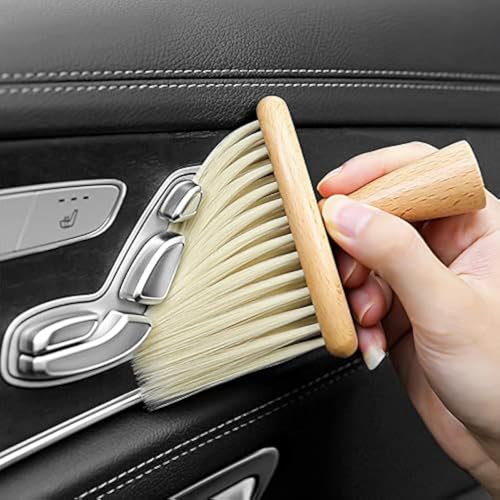
- Soft bristle brush for cleaning mouse pad
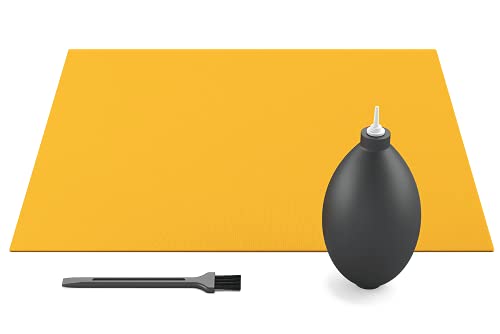
- Microfiber cleaning cloth for electronics keyboard mouse pad
- Keyboard and mouse pad cleaning kit microfiber cloth brush

Before You Start
Prepare a clean workspace and test a small corner first to ensure colors don’t bleed. Use lukewarm water and mild soap to avoid material damage. Do not use harsh chemicals, bleach, or hot water, which can degrade the cloth. If your pad has stitching around the edges, handle gently to prevent fraying. Time estimate: 10–20 minutes for cleaning, plus 2–6 hours to dry completely, depending on humidity.
Step-By-Step: How To Clean A Cloth Mouse Pad
- Remove any loose debris by turning the pad and lightly tapping it, then wipe with a dry microfiber cloth.
- Mix a small amount of mild soap with lukewarm water in a bowl or sink.
- Dip the soft bristle brush into the solution and gently scrub in circular motions to lift oils.
- Focus on stained areas, applying a bit more pressure without scrubbing the surface textured pattern away.
- Rinse the brush and wipe the pad with a damp microfiber cloth to remove soap residue.
- Rinse the pad under a gentle stream of lukewarm water or wipe thoroughly with clean, damp cloth until suds disappear.
- Gently press out excess water; avoid wringing the pad to protect edge stitching.
- Lay the pad flat on a clean towel and roll or press to remove remaining moisture, then air-dry away from direct heat.
- After drying, test the surface by sweeping a cursor to ensure it glides smoothly.
- If odors persist, repeat the cleaning steps or treat with a gentle fabric freshener allowed by the pad’s material.
- Store in a cool, dry place when not in use to prevent mildew or warping.
- For frequent cleaning, repeat every few weeks or as needed based on usage.
Troubleshooting
| Symptom | Likely Cause | Fix | Prevention |
|---|---|---|---|
| Color bleeding after wash | Noncolorfast dyes | Rinse thoroughly; air-dry away from sunlight | Spot test before full wash |
| Stiff or warped pad | Excess moisture or heat | Air-dry completely; avoid heat sources | Do not wring; press moisture out gently |
| Sticky surface after cleaning | Soap residue | Wipe with clean water until suds stop | Use minimal soap next time |
| Fading texture | Overly aggressive scrubbing | Switch to lighter brushing; gentler passes | Follow manufacturer care guidelines |
Common Mistakes
- Using hot water or strong detergents that degrade fabric
- Scrubbing too hard, which frays edges or wears texture
- Skipping thorough drying, which invites mildew
- Not testing on a small area before full cleaning
Keeping a routine cleaning plan helps prevent deep-set stains and preserves glide quality over time.
Tips For Best Results
- Use microfiber cloth for gentle blotting and dust removal between deep cleanings.
- For persistent oily residues, apply a tiny amount of dish soap to the brush and rinse thoroughly.
- Consider washing the pad on a gentle cycle if fabric care labels permit, then air-dry flat.
- Protect the surface by keeping food and drinks away during use.
Call A Professional
Seek professional cleaning guidance if the pad has specialized graphics, intricate stitching, or if stains persist after multiple cleanings. Contact a local electronics care service or the pad manufacturer’s support line for recommended cleaning methods or replacement options.
FAQ
Can I use bleach on a cloth mouse pad?
No. Bleach can damage fabrics and graphics. Use mild soap and water instead.
How long should a cloth mouse pad dry?
At least 2–6 hours in a well-ventilated area, longer if the pad is thick or humid.
Is washing machine cleaning safe?
Only if the manufacturer approves it; otherwise, hand wash to avoid warping or fraying.
Can I use rubbing alcohol to disinfect my pad?
Use sparingly and ensure it won’t degrade the fabric; test on a small area first.
How often should I clean my cloth mouse pad?
Frequency depends on usage; heavy daily use may require weekly spot cleaning and monthly deep cleaning.
Buying Guide
When selecting a cloth mouse pad, consider size, durability, and texture compatibility with your mouse sensor. A larger pad supports more comfortable arm movement, while a bumpy or stitched edge can affect glide if the surface is rough. Look for pads labeled as machine-washable or easy to hand-wash, and check colorfastness to avoid bleeding onto desks or keyboards. Noise considerations are typically minimal for cloth pads, but a very thick pad may slightly affect height and mouse ergonomics. Placement on a clean, flat desk surface ensures even wear and better tracking performance.
Leave a Reply