How to Clean a Cricut LightGrip Mat
Maintaining a clean LightGrip mat is essential for consistent cuts and longer mat life. This guide provides practical steps to remove residue, refresh adhesion, and extend the mat’s usefulness, using widely available tools and products for Cricut users in the American market.
Quick Answer
Refresh your LightGrip mat in under 20 minutes by removing loose debris, applying a targeted adhesive remover, and using a scraper or brush to lift gunk. Regular light cleaning can restore grip without damaging the surface.
What You’ll Need
- Cricut LightGrip mat cleaning kit 12×12
- adhesive remover spray for Cricut mats 12×12 LightGrip
- Cricut mat scraper and cleaning brush set for LightGrip mats
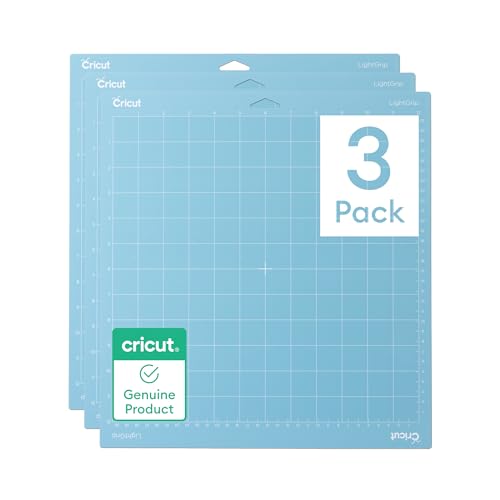


Before You Start
Prepare a clean workspace and gather the specified tools. Lay down a protective surface to catch drips and avoid staining tables. Allow the mat to cool if it has been recently used with hot materials. Safety note: avoid harsh solvents that could degrade the mat or leave residues on the mat’s surface. Work in a well-ventilated area and store remover sprays out of reach of children and pets.
Estimated time: 15–30 minutes per mat depending on buildup. Plan for extra time if the mat is heavily soiled or if you are cleaning multiple mats in succession.
Step-By-Step: How To Clean A Cricut LightGrip Mat
- Inspect the mat to identify the type and extent of residue, such as paper scraps, ink, or adhesive buildup.
- Gently peel away any loose debris using fingers or a soft brush to avoid scratching the mat.
- Apply a light mist of adhesive remover spray for Cricut mats 12×12 LightGrip to the affected areas. Do not saturate; a fine mist is sufficient.
- Let the remover sit for 30–60 seconds to soften residue without breaking the mat’s surface.
- Use the Cricut mat scraper and cleaning brush set for LightGrip mats to lift and roll away softened residue. Move in one direction to reduce gouges.
- Wipe the mat with a damp, lint-free cloth to remove remaining cleaner and dislodged debris. Avoid soaking the mat.
- Rinse or wipe again with a dry cloth to ensure the surface is dry and free of cleaner residue.
- Place the mat on a flat, clean surface and let it air-dry fully before reusing. Do not use heat to speed drying.
- Apply a light, even layer of adhesive by performing a few light passes with a clean surface if adhesion seems reduced, ensuring you don’t over-dampen the mat.
- Test with a small, low-triction material (like a scrap of paper) to confirm grip is restored before resuming full projects.
- Store the mat flat or rolled with the protective cover in place to preserve the cleaning results until next use.
Troubleshooting
| Symptom | Likely Cause | Fix | Prevention |
|---|---|---|---|
| Reduced grip after cleaning | Improper drying or residue left behind | Wipe thoroughly, air-dry completely, and re-test grip | Dry mats fully before storage |
| Residue remains after cleaner | Heavy adhesive buildup | Repeat cleaning cycle with gentle strokes | Clean promptly after use |
| Mat tearing or curling | Over-scrubbing or harsh chemicals | Switch to gentler brushes and milder cleaners | Avoid abrasive tools and strong solvents |
| Wrinkles on mat | Improper storage | Flatten under a heavy, clean object until fully flat | Store rolled and protected |
Common Mistakes
- Using excessive adhesive remover or soaking the mat, which can damage the surface.
- Scrubbing with hard brushes or sharp tools that gouge the mat.
- Skipping thorough drying, which can affect future releases or cuts.
- Cleaning too soon after use when the adhesive is still set and soft.
Tips For Best Results
- Clean in a shaded area and avoid direct sunlight to prevent adhesive from drying unevenly.
- Test cleaning methods on a small section first to gauge impact on adhesion.
- Maintain a routine: light cleaning after typical projects helps prevent heavy buildup.
- Combine products wisely: use the adhesive remover spray for spot cleaning and the scraper set for stubborn debris.
- Keep a dedicated cleaning brush for LightGrip mats to avoid cross-contamination with other mat types.
Call A Professional
Seek professional help if the mat surface appears peeled, cracked, or the grip never returns after multiple cleanings. Also consider professional service if you notice persistent adhesive transfer to projects or unusual discoloration that might indicate material degradation.
FAQ
How often should I clean a Cricut LightGrip mat?
Clean after noticeable buildup or every few projects to maintain optimal adhesion and prolong mat life.
Can I use household cleaners on a LightGrip mat?
Avoid harsh household cleaners; use the adhesive remover spray designed for Cricut mats to prevent damage.
Is it safe to machine-wash the mat?
Do not machine-wash or soak mats; hand-cleaning with proper tools is recommended.
What if my mat still has poor adhesion after cleaning?
Consider rotating to a fresh mat, re-treat with a small amount of adhesive, or consult Cricut support for guidance.
Will cleaning extend the life of the mat?
Yes, regular, careful cleaning can restore grip and extend the usable life of LightGrip mats.
Buying Guide
When choosing cleaning accessories for a Cricut LightGrip mat, consider size compatibility, ease of use, and compatibility with existing mats. Look for kits labeled specifically for 12×12 LightGrip surfaces and ensure the adhesive remover is designed for Cricut mats to avoid degradation. A good cleaning brush set should include soft-bristled brushes that won’t scratch the mat’s surface. For best results, use a dedicated scraper designed for LightGrip mats to avoid gouging the surface. Accessibility and availability in the U.S. market help ensure you can quickly replenish cleaning supplies between projects.
Other Helpful Considerations
Size and storage options influence how you organize mats and cleaning tools in a craft space. Noise levels and energy use are generally minimal for cleaning tasks, but consider whether you prefer manual tools or motorized cleaners for heavy buildup. Evaluate whether you frequently work with different materials that may require more frequent mat maintenance, and choose a cleaning kit that covers all your LightGrip needs.
Leave a Reply