How to Clean a Vizio TV Screen Safely and Effectively
Cleaning a Vizio TV screen without scratches or damage requires careful technique. This guide outlines a practical, step-by-step approach that protects the screen while removing dust, fingerprints, and smudges from common living room environments.
Following the right methods helps maintain picture quality and extends the life of the display. The steps below reference commonly used cleaning products designed for TV screens and electronics.
Quick Answer
Power off the TV and unplug. Use a clean microfiber cloth lightly dampened with a dedicated screen cleaner or a small amount of alcohol-free spray. Gently wipe in circular motions, avoiding excessive moisture near edges. Let the screen air dry before turning the TV back on.
What You’ll Need
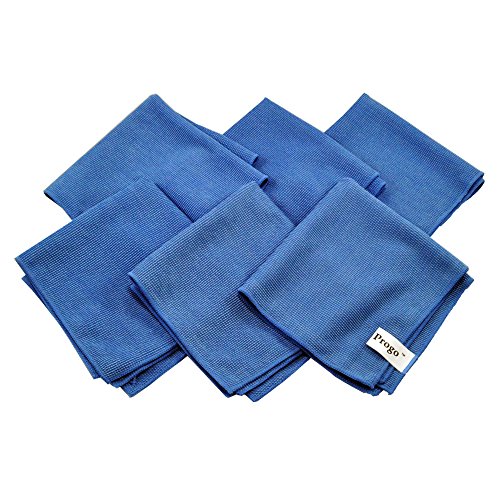
- Vizio TV screen cleaning kit microfiber cloth
- alcohol-free spray or anti-static screen cleaner spray
- microfiber cloth set for LED LCD TV screen cleaning 32-65 inch
- optional soft brush or compressed air can for dust


Before You Start
Ensure the TV is powered off and unplugged. Use only cleaning products labeled safe for electronics or screens. Do not spray cleaner directly onto the screen; apply to the cloth instead. Avoid pressing hard on the screen to prevent pressure damage. Allow the screen to dry completely before reapplying power. Plan for a 10–20 minute cleaning window to prevent overheating of nearby devices.
Caution: Do not use ammonia-based cleaners or household solvents. Avoid paper towels or rough fabrics that can scratch coatings.
Step-By-Step: Cleaning A Vizio TV Screen
- Power off the TV and unplug it from the wall outlet.
- Wipe loose dust with a dry microfiber cloth to prevent scratching.
- Lightly dampen a microfiber cloth with a dedicated screen cleaner or alcohol-free spray.
- Gently wipe the screen in a slow, straight-line motion from edge to edge.
- For stubborn smudges, use a second clean microfiber cloth and repeat with light pressure.
- Avoid applying cleaner directly to the screen; never spray near the bezels or speakers.
- Dry the surface with a dry portion of the cloth to remove any remaining moisture.
- Reconnect power and turn the TV on to confirm the screen is clear.
- Store cleaning products away from children and pets when not in use.
- Regular maintenance: dust weekly and clean monthly to prevent buildup.
- If using an anti-static cleaner, ensure it is labeled safe for electronics and follow product directions.
- Dispose of used cloths properly if they become visibly worn or frayed.
Troubleshooting
| Symptom | Likely Cause | Fix | Prevention |
|---|---|---|---|
| Streaks after cleaning | Residue from cleaner or damp cloth | Wipe with a dry microfiber cloth using gentle strokes | Use minimal liquid on cloth |
| Cloudy screen after wipe | Moisture trapped near edges | Let air dry completely before powering on | Avoid over-wetting the cloth |
| Scratches or marks | Rough cloth or abrasive cleaner | Switch to a premium microfiber cloth and a dedicated screen cleaner | Never use paper towels or household solvents |
| Static cling or dust attract | Dry environment | Use anti-static spray designed for screens sparingly | Dust and wipe regularly |
Common Mistakes
- Using household spray directly on the screen
- Over-wetting the cloth and letting liquid seep into corners
- Applying excessive pressure while wiping
- Using rough fabrics that can scratch anti-reflective coatings
Tips For Best Results
- Use a dedicated screen cleaning kit or anti-static spray formulated for TVs
- Clean in a low-dust environment to minimize recontamination
- Finish with a final dry pass to remove remaining moisture
- Keep microfiber cloths clean; wash separately from other fabrics
- Check the TV’s manual for any manufacturer-specific cleaning recommendations
Call A Professional
Seek professional help if the screen shows deep scratches, dead pixels, or if liquid intrusion is suspected. Do not attempt internal cleaning or openings that could void the warranty.
FAQ
Can I use window cleaner on my Vizio TV screen?
No. Window cleaners often contain ammonia or harsh solvents that can damage coatings. Use a dedicated screen cleaner or alcohol-free spray applied to a microfiber cloth.
What kind of cloth should I use?
Use a soft microfiber cloth designed for screens. Avoid rough fabrics or paper towels that can scratch surface coatings.
Is it safe to spray cleaner directly onto the screen?
Not recommended. Spray onto the cloth only to prevent liquid from seeping into edges and speakers.
How often should I clean a TV screen?
Dust the screen regularly and perform a deeper clean monthly or as needed to remove fingerprints and smudges.
Buying Guide
When choosing cleaning supplies for a Vizio TV screen, consider size compatibility, the surface coating, and ease of use. Look for kits that include microfiber cloths suitable for LED/LCD screens across 32–65 inches, and opt for alcohol-free or anti-static sprays that are explicitly labeled for electronics. A compact spray bottle and a few soft cloths can be sufficient for most homes, while larger screen sets benefit from a dedicated cleaning kit designed for TVs. Ensure the items are readily refillable and easy to store near the entertainment center.
Key Buying Factors
- Screen size compatibility: Choose microfiber sets and sprays that cover the display range you own (e.g., 32–65 inch sets).
- Cleaning solution: Alcohol-free sprays that are safe for electronics minimize coating damage and streaks.
- Coatings compatibility: Look for products labeled safe for anti-glare and anti-reflective coatings.
- Tool quality: Premium microfiber cloths reduce friction and prevent micro-scratches.
- Portability: Smaller kits are easy to store near AV equipment; larger kits suit busy households.
- Maintenance: Reusable cloths and spray bottles with clear usage guidelines improve long-term value.
- Safety features: Anti-static properties help repel dust and reduce static cling after cleaning.
- Placement considerations: Keep cleaning items away from kids and pets and avoid moisture near power connections.
Leave a Reply