How to Clean Beats Headphones From Sweat
Beats headphones are built for daily use, workouts, and commutes, but sweat can leave residues on ear cups, headbands, and grills. Regular, careful cleaning helps maintain sound quality and hygiene without damaging components. This guide provides practical steps to safely remove sweat and year-round care tips for Beats headphones.
Quick Answer
Yes, you can clean sweat from Beats headphones using common household supplies. Use a microfiber cloth for gentle wiping, a soft-bristle brush for crevices, and alcohol-free wipes for disinfection. Avoid excessive moisture and never submerge the headphones. Let components dry fully before use.
What You’ll Need
- Microfiber cleaning cloth for electronics Beats headphones
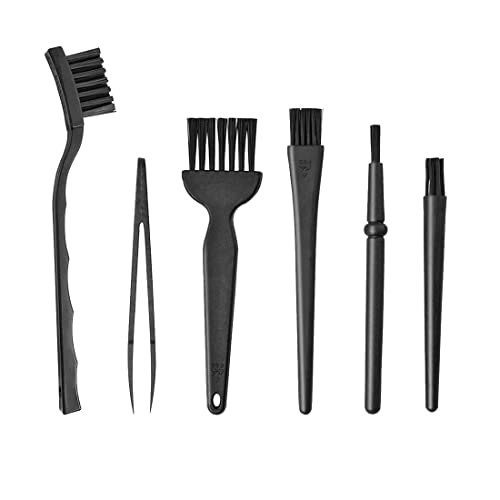
- Soft-bristle electronic cleaning brush for headphones
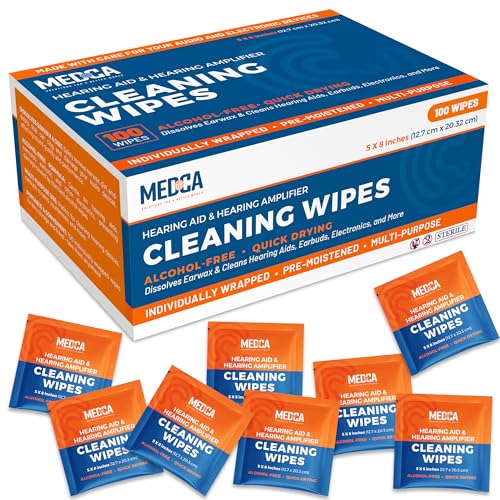
- Alcohol-free electronic cleaning wipes for Beats headphone cleaning

Before You Start
Prepare a clean, dry workspace and read the headset’s user manual for any model-specific cautions. Sweat is corrosive over time, especially to metal and leather or foam parts. Use gentle, circular motions to avoid scratching surfaces. Do not immerse the headphones in water or cleaning solutions, and avoid cleaning while plugged in or while the device is charging.
Estimated prep time: 5–10 minutes. Drying time: 10–30 minutes depending on ventilation. If you wear the headphones while cleaning, consider removing them or pausing workouts until fully dry.
Step-By-Step: How To Clean Sweat From Beats Headphones
- Power off and unplug any connected devices. Remove detachable cables if possible, to prevent moisture from seeping into connectors.
- Lightly brush away visible sweat residues from cups, headband, and grills with the soft-bristle electronic cleaning brush for headphones. Use short, gentle strokes to avoid pushing grime further into gaps.
- Wipe the exterior surfaces with a microfiber cleaning cloth for electronics Beats headphones. Use a small amount of water or a dedicated alcohol-free wipe if needed, but never pour liquids directly on the headset.
- Focus on the ear cushions and headband edges. Use the microfiber cloth dampened slightly with water or an alcohol-free wipe to lift oils and salts from sweat. Wipe in a circular motion and then dry with a fresh section of the cloth.
- Clean the mesh grills with the brush by lightly tapping and sweeping parallel to the grill lines. Avoid pressing hard into the mesh to prevent tearing.
- Check crevices, including around seams and hinges. Use the brush to dislodge stuck particles and then finish with a wipe for sanitization, especially on frequently touched areas.
- Allow the headphones to air dry completely in a well-ventilated area before reassembling or using. Open a gap near the cups if possible to speed up drying.
- Reattach any cushions or pads once fully dry. Inspect for moisture before placing on the head to prevent uncomfortable dampness or skin irritation.
- Optional: Periodically perform a deeper clean every few weeks if you sweat heavily or exercise regularly, repeating the steps above with a fresh cloth and carefully cleaned brushes.
Troubleshooting
| Symptom | Likely Cause | Fix | Prevention |
|---|---|---|---|
| Residual odor after cleaning | Prolonged sweat buildup in cushions | Repeat cleaning focusing on cushions; consider replacing pads if odor persists | Clean after workouts; store in a dry place |
| Streaks on ear cups | Excess moisture or streaks from wipes | Wipe with a dry microfiber cloth until clear | Use minimal moisture and fewer passes |
| Sticky cushion surface | Residue from oils and sweat | Gently scrub with brush and wipe with alcohol-free wipes | Routine cleaning after heavy sweating |
| Water intrusion into hinge or port | Over-wetting during cleaning | Pause cleaning, allow to dry completely, inspect seals | Avoid direct spraying; use minimal moisture |
Common Mistakes
- Using harsh cleaners or alcohol-based wipes on leather or synthetic cushions
- Submerging the headphones in water or cleaning liquids
- Applying excessive moisture to delicate parts like grills or hinges
- Forgetting to dry thoroughly, leading to skin irritation or corrosion
Tips For Best Results
- Do a quick wipe after sessions to prevent sweat buildup from becoming entrenched.
- Store headphones in a dry, ventilated area; avoid humid environments or tightly closed bags.
- Rotate cushion replacements if perspiration is frequent; fresh cushions improve hygiene and comfort.
- Test any cleaning product on a hidden area first to ensure no discoloration or material damage.
- Schedule a deeper cleaning monthly for heavy users or athletes.
Call A Professional
Seek professional service if you notice corrosion, loud clicks, loose components, or water damage signs such as foggy sound or muffled audio. Stop using the headphones if there is unusual heat, buzzing, or odor that persists after cleaning. A certified tech can inspect internal components and replace affected parts safely.
FAQ
Can I use soap and water on Beats headphones?
Soap and water can be used very sparingly on non-sensitive exterior surfaces, but avoid soaking and never use harsh cleaners. Wipe with a damp microfiber cloth and dry thoroughly.
Are alcohol-based wipes safe for Beats cushions?
Alcohol can break down some cushion materials over time. Prefer alcohol-free electronic cleaning wipes for cushions and leather or foam components.
How often should I clean Beats headphones used during workouts?
Clean after heavy sweating sessions, and perform a quick wipe-down after each workout to extend cushion life and hygiene.
What if moisture causes a malfunction after cleaning?
Power down immediately and allow full drying time in a dry area. If problems persist, consult a professional or contact Beats support for model-specific guidance.
Can I remove ear cushions for cleaning?
Yes, many Beats models allow cushion removal for deeper cleaning. Follow the manufacturer’s instructions to prevent damage.
Should I use a UV sanitizer on Beats headphones?
UV sanitizers can supplement cleaning, but avoid exposing leather or foam to direct UV light for extended periods, which may cause material degradation.
Is microfiber cloth enough for routine cleaning?
Microfiber cloths are excellent for daily maintenance; pair with alcohol-free wipes and a soft brush for deeper cleans.
Buying Guide
When choosing Beats headphones for sweaty environments or active use, consider several factors to balance hygiene, comfort, and performance.
- Size and fit: Ensure cushions provide a snug seal without excessive pressure; adjustable headbands help distribute moisture and sweat evenly.
- Noise levels: Depending on use, passive isolation can help reduce the need to crutch sweat-related fatigue; consider models with comfortable ear cups for long sessions.
- Comfort materials: Cushions made of breathable foam or moisture-wicking fabric resist sweat buildup better than vinyl or synthetic leathers.
- Durability and materials: Look for IP rating or sweat-resistance features, and a build that tolerates routine cleaning with wipes and brushes.
- Cleaning compatibility: Prefer models with removable cushions or materials labeled as cleaning-friendly. Ensure you can safely detach pads for cleaning without damage.
- Ease of disassembly: Headphones with simple disassembly allow more thorough cleaning of grills and hinges.
- Storage and care: A protective case and a dry storage spot help minimize moisture exposure between uses.
- Price and value: If sweat exposure is frequent, investing in more durable cushions or a model with robust cleaning options may offer long-term value.
Would you like recommendations aligned with your typical use—gym workouts, commuting, or office listening? This guide outlines safe cleaning practices that work across most Beats models while emphasizing care over aggressive cleaning.
Leave a Reply