How to Clean a Slot Loading CD Player
Slot loading CD players can accumulate dust, fingerprints, and minor debris that affect playback and laser performance. This guide provides practical, safe methods to clean a slot-loading drive using common tools and care practices suitable for American households. The steps emphasize preserving the optical lens and avoiding damage to sensitive components.
Quick Answer
To refresh a slot-loading CD player, start with a gentle cleaning of the drawer area and exterior, then use a dedicated laser lens cleaning kit or a slot-loading optical drive cleaning kit. If dust buildup remains, apply a short burst of compressed air to the drive vents from a safe distance and re-test. Avoid forcing the drive or inserting liquids into the slot. Regular light cleanings can maintain performance without disassembly.
What You’ll Need
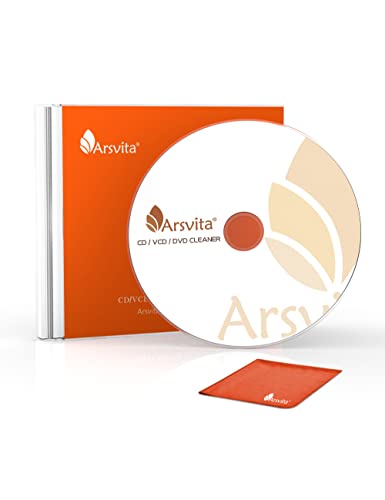
- CD/DVD laser lens cleaning kit with cleaning disc and swabs
- slot-loading optical drive cleaning kit
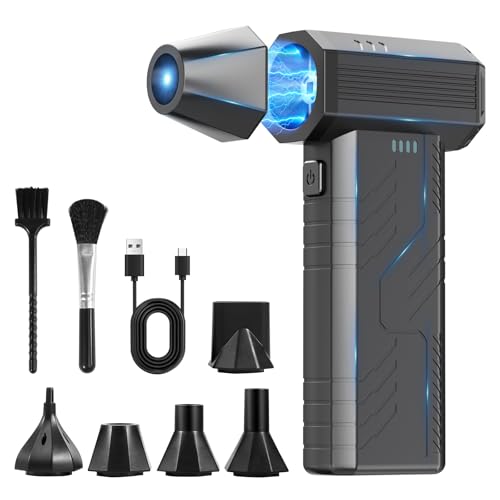
- compressed air dust blower for electronics and CD players

Before You Start
Before cleaning, unplug the device and allow any internal capacitors to discharge. Work in a clean, dust-free area and use a soft, lint-free cloth for exterior surfaces. If the drive is under warranty, check warranty terms before attempting internal access. Do not spray liquids into the slot or around the drive mechanism. A typical cleaning session takes 10–20 minutes, depending on the device and the method used.
Step-By-Step: Cleaning A Slot Loading CD Player
- Power down and unplug the player. Remove any discs and wait for the drive to cool if recently used.
- Inspect the slot and exterior for visible dust. Use a soft microfiber cloth to wipe the slot face and surrounding bezel with gentle, horizontal strokes.
- Prepare a CD/DVD laser lens cleaning kit or a slot-loading optical drive cleaning kit according to the manufacturer’s instructions.
- Insert the cleaning disc into the drive as directed. Run a standard cleaning cycle slowly to prevent damage to the slot mechanism.
- If no cleaning disc is available, use the included swabs or microfiber tip from the kit to gently clean the exterior of the slot opening and any visible access area around the laser housing. Avoid direct contact with the internal laser.
- Use compressed air dust blower to blow dust from the ventilation grilles and around the drive bay from a safe distance. Do not shake the can or tilt it; keep the nozzle away from the optical path.
- Re-test playback with a disc. If skipping occurs, run a second light cleaning cycle with the appropriate cleaning kit, ensuring the disc is clean and not warped.
- If issues persist after cleaning, consider professional service. Do not attempt to disassemble the drive housing beyond basic exterior cleaning.
- Store cleaning tools in a dry place and replace consumables per manufacturer guidance to maintain effectiveness for future use.
Troubleshooting
| Symptom | Likely Cause | Fix | Prevention |
|---|---|---|---|
| Disc won’t load or ejects slowly | Dust in the slot or around the drive | Gently clean exterior and retry with a cleaning kit | Regular light cleaning every few months |
| Playback skips or stalls | Dirty laser lens or dirty discs | Use lens cleaning kit or clean discs; inspect discs for scratches | Avoid touching the disc surface; store properly |
| Drive makes grinding noises | Mechanical obstruction or heavy dust buildup | Power off and inspect exterior; do not disassemble | Keep area free of dust; avoid moisture |
| No power or drive not recognized | Power supply issue or fuse in drive | Check power cord and outlet; if unresolved, consult a technician | Use proper power sources; avoid USB hubs that draw insufficient power |
Common Mistakes
- Using excessive liquid cleaners around the drive slot
- Spraying compressed air directly into the slot from close range
- Forcing the disc in when the drive is sticky or misaligned
- Ignoring safety precautions and attempting disassembly without proper guidance
Sticking to manufacturer-recommended cleaning methods reduces the risk of damage and helps extend the life of the optical drive.
Tips For Best Results
- Dust the exterior regularly with a soft cloth to minimize debris near the slot.
- Use a dedicated laser lens cleaning kit rather than improvised methods for better results.
- Clean discs should be free of fingerprints, smudges, and scratches to avoid residue on the lens.
- Keep the cleaning kit components in a clean, dry environment; replace swabs when they appear worn.
- Test with a variety of CDs and DVDs to confirm consistent performance after cleaning.
Call A Professional
Seek professional service if the drive still misreads discs after cleaning, produces unusual noises, or refuses to load despite multiple cleaning attempts. Stop signs include persistent failure to initialize, unusual burning smells, or evidence of liquid exposure inside the drive. A technician can diagnose alignment issues, worn laser assemblies, or motor problems that are not safe to repair at home.
FAQ
Can I clean a slot-loading CD player without opening the device?
Yes. Exterior cleaning and the use of laser lens cleaning kits designed for slot-loading drives are typically sufficient for routine maintenance.
How often should I clean a slot-loading CD player?
Light cleaning every 3–6 months helps, with more frequent cleaning if dust levels are high or if playback quality declines.
Is it risky to use compressed air on a CD player?
When used from a safe distance and aimed away from the laser path, compressed air is generally safe for exterior vents, but avoid spraying into the slot itself.
What if cleaning doesn’t fix playback issues?
Try a second cleaning cycle with a dedicated kit, inspect discs for damage, and consider professional diagnostic if problems persist.
Buying Guide
The buying decision for slot loading CD player maintenance tools should weigh size, noise level, energy efficiency, controls, and placement in the living or media room. Consider a laser lens cleaning kit that includes both a cleaning disc and swabs for versatile use. A slot-loading optical drive cleaning kit is optimized for slot-driven mechanisms and reduces risk to the optical assembly. A compressed air dust blower provides quick dust removal for vents, but should be used with caution to avoid moisture or forceful air into delicate components.
Size matters when storing cleaners between uses; compact kits fit neatly in a media cabinet. Noise level is usually negligible for cleaning devices, but practical design features such as ergonomic handles and easy-to-read instructions improve user experience. Energy efficiency is not a major concern for short cleaning sessions, but choose kits with low energy footprints if they run on power adapters.
Placement should keep the drive accessible and away from high heat or direct sunlight. If using external cleaning devices, ensure cords and hoses do not obstruct slot access. Think about compatibility with different disc formats (CD and DVD) to maximize the kit’s usefulness.
For best results, compare at least two cleaning kit options that include a laser lens cleaning disc and swabs, and verify the kit is compatible with slot-loading drives common in consumer electronics. By selecting the right tools and following the steps outlined, users can maintain optimal playback quality without specialized training. Do you keep a regular cleaning routine for your optical drives?
Leave a Reply