How to Clean Roomba Mop Pad
Cleaning your Roomba mop pad helps maintain effective mopping performance and prolongs the life of the accessory. This guide walks through practical, safe steps to refresh your microfiber mop pad, plus tools to make the job easier.
Quick Answer
Rinse the mop pad under warm water, use a gentle detergent if needed, lightly scrub with a soft brush, rinse again, and air-dry completely before reuse. For stubborn stains, machine wash on a gentle cycle or use a dedicated iRobot Roomba mop pad washing kit microfiber, then dry thoroughly to prevent mildew.
What You’ll Need
- Roomba mop pad cleaning brush microfiber or a soft-bristled brush
- iRobot Roomba mop pad washing kit microfiber or mild detergent
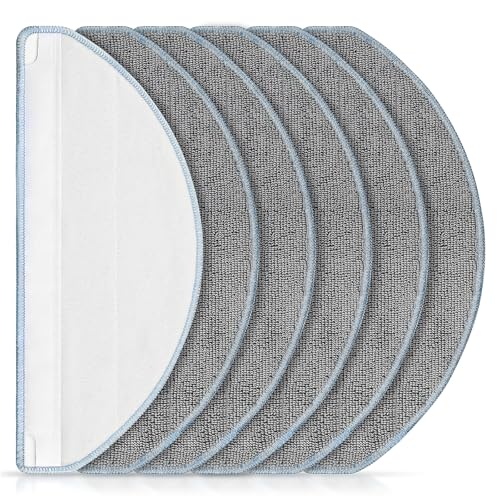
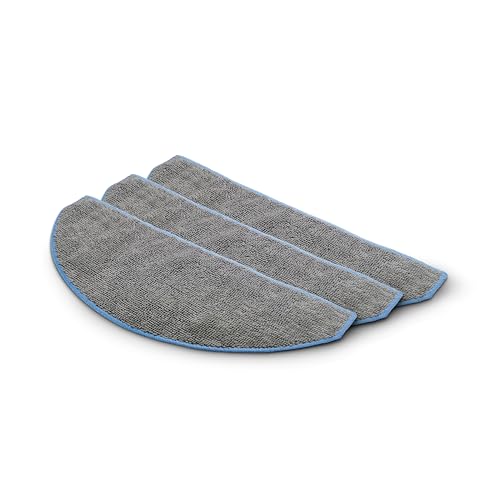
- Roomba mop pad replacement and cleaning tool set (optional for scrapers and connectors)
<li Clean water, a drying rack or hanger

Before You Start
Before handling the mop pad, unplug the Roomba and remove any loose debris from the pad and the cleaning head. Check the pad for wear; replace if frayed or excessively stained. Use warm water and a mild detergent to avoid damaging the fabric. Do not use bleach or fabric softeners, which can degrade microfiber and reduce absorption.
Safety tip: If the pad has an integrated sensor or adhesive backing, handle gently to prevent peeling. Allow the pad to dry fully before reattaching to the Roomba.
Step-By-Step: How To Clean Roomba Mop Pad
- Remove the mop pad from the Roomba and shake out loose debris into the trash or a bin.
- Rinse the pad under warm running water to loosen dirt and loosened fibers.
- Apply a small amount of mild detergent if soils persist; avoid harsh chemicals that could degrade microfiber.
- Gently scrub the pad with a Roomba mop pad cleaning brush microfiber or a soft-bristled brush to dislodge grime.
- Rinse thoroughly until the water runs clear and no soap residue remains.
- For machine washing, place the pad in a gentle cycle with a small amount of detergent and cold or warm water, then run a rinse cycle.
- Air-dry the pad on a drying rack or hanger away from direct heat until completely dry.
- Inspect the pad for wear. If fibers appear damaged or the pad remains stiff after dry, consider a replacement with a Roomba mop pad replacement and cleaning tool set.
- Reattach the pad to the Roomba only after it is fully dry to prevent moisture from contacting electronics.
- Store the pad in a clean, dry place to prevent mold growth between uses.
Troubleshooting
| Symptom | Likely Cause | Fix | Prevention |
|---|---|---|---|
| Pad still smells after washing | Residual moisture or mold in fibers | Rewash using a full rinse cycle and ensure complete drying | Dry completely before storage |
| Pad fibers look frayed or stiff | Overly aggressive scrubbing or harsh detergents | Switch to a softer brush and milder detergent | Use gentler cleaning methods |
| Pad detaches or doesn’t align | Connector wear or improper reattachment | Check alignment guides and replace worn parts if needed | Inspect connectors before each cleaning |
| Stains persist after washing | Deep-set stains from heavy use | Spot-clean with a small amount of detergent and rinse thoroughly | Regular cleaning to prevent buildup |
Common Mistakes
- Using hot water that can shrink or warp microfiber
- Bleach or fabric softeners that degrade fibers
- Washing with heavy fabrics that snag the pad
- Not drying the pad completely, leading to mildew
By avoiding these missteps, the mop pad remains effective and ready for frequent use.
Tips For Best Results
- Pre-rinse heavily soiled pads to reduce the need for scrubbing.
- Use iRobot Roomba mop pad washing kit microfiber components when available for consistent cleaning performance.
- Schedule a regular cleaning cycle for the pad after every few moppings to prevent buildup.
- Label or mark replacement pads to keep track of wear and performance.
Call A Professional
Roomba mop pad maintenance is straightforward, but seek professional help if the pad or cleaning head shows persistent damage, cracks, or if you encounter electrical concerns with the Roomba that accompany worn pads.
FAQ
Can I wash the mop pad in a standard washing machine?
Yes, on a gentle cycle with mild detergent. Use a small load and avoid fabric softeners.
How long should a mop pad last with regular cleaning?
Lifetime varies by usage; inspect fibers regularly and replace when frayed or stained beyond cleaning.
Is it okay to use bleach on the mop pad?
No. Bleach can degrade microfiber and reduce performance.
What if the pad still smells after washing?
Rewash with a full rinse and ensure complete air-drying before storage.
Do I need a special kit for cleaning the mop pad?
While not required, a dedicated iRobot Roomba mop pad washing kit microfiber can simplify and standardize cleaning results.
Buying Guide
When selecting a mop pad and cleaning setup, consider size compatibility with your Roomba model, the durability of the microfiber, and how easy the pad is to detach and reattach. Noise level is typically not affected by pad cleaning, but a clean pad helps reduce drag and maintain efficient operation. Look for replacement options and cleaning tool sets designed for your Roomba model to ensure a snug fit and proper attachment. Energy efficiency isn’t a primary concern for pads, but choosing reusable microfiber options reduces waste. Placement; store pads in a dry, ventilated area to prevent mildew and preserve fabric integrity. If you mop frequently on hard floors, investing in a microfiber kit and a dedicated cleaning brush can streamline maintenance and extend pad life.
Leave a Reply