How to Clean a HyperX Mouse Pad
HyperX mouse pads offer smooth surfaces for precise tracking, but daily use can accumulate dust, oils, and grime. A routine cleaning keeps the surface responsive and extends the pad’s life. This guide provides practical steps using common cleaning tools and safe practices to refresh your HyperX mouse pad without damage.
Quick Answer
For most HyperX mouse pads, rinse with warm water, apply a gentle cleaning solution, scrub with a soft brush or microfiber cloth, rinse again, and air dry completely before reuse. Use a dedicated cloth or kit to protect fabric and avoid harsh chemicals that may degrade the surface.
What You’ll Need
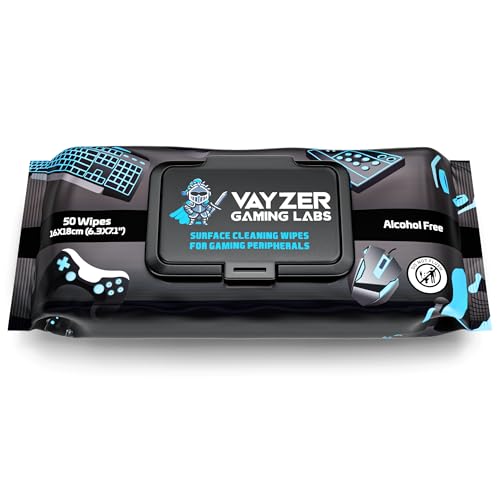
- Mouse pad cleaning kit
- Microfiber cleaning cloth electronics
- Soft bristle brush fabric cleaning delicate surfaces
- Warm water
- Gentle, non-abrasive cleaner or mild dish soap


Before You Start
Place the pad on a clean, flat surface and ensure the area is free of clutter. Disconnect any devices nearby to avoid splashes on keyboards or mice. Test a small, inconspicuous area if your pad uses dyes or graphics to ensure colorfastness. Do not soak the pad for extended periods as excessive moisture can damage the surface or backing. Allow ample time for air drying to prevent warp or stiffness.
Step-By-Step: How To Clean A HyperX Mouse Pad
- Remove loose debris by gently banging or brushing the pad to dislodge dust and skin cells.
- Rinse the pad under lukewarm running water to loosen surface grime. Do not use hot water, which can affect material integrity.
- Apply a small amount of mild dish soap or a dedicated cleaner from the mouse pad cleaning kit. Use microfiber cleaning cloth electronics to spread, avoiding harsh scrubbing.
- Gently scrub in circular motions with a soft bristle brush fabric cleaning delicate surfaces, focusing on soiled areas without pressing too hard.
- Rinse thoroughly under lukewarm water to remove all soap residue. Ensure all suds are gone to prevent residue on the surface.
- Pat the pad dry with a clean microfiber cloth, then lay flat and allow to air dry completely in a well-ventilated area away from direct sunlight or heat sources.
- Check the backing side for any residual moisture. If necessary, blot again and reposition to finish drying.
- Once fully dry, test the surface with a light glide of your mouse to ensure smooth tracking before resuming regular use.
- For routine upkeep, lightly wipe down with a damp microfiber cloth after long gaming sessions to prevent oil buildup.
- Repeat cleaning only when noticeable grime accumulates or tracking feels slightly sticky. Over-cleaning can wear down the surface over time.
- Store the pad flat when not in use to prevent creases and premature wear on the edges.
Troubleshooting
| Symptom | Likely Cause | Fix | Prevention |
|---|---|---|---|
| Surface feels sticky after cleaning | Soap residue | Rinse thoroughly and re-dry completely | Use minimal soap and rinse well |
| Color fading or dye transfer | Hot water or aggressive scrubbing | Ambient water temperatures and gentle scrubbing | Avoid harsh chemicals and heat |
| Edges curling or warping | Excess moisture | Air dry fully and weigh edges down with a clean, flat weight | Dry in a flat, roomy area |
| Unresponsive glide after cleaning | Surface residue | Wipe again with a damp microfiber cloth | Ensure pad is fully dry before use |
| Persistent grime not coming off | Deep set oils | Use a small amount of mild cleaner and repeat steps | Clean regularly to prevent buildup |
Common Mistakes
- Using hot water or strong solvents that degrade fabric or graphics
- Soaking the pad for long periods, which can warp backing
- Using abrasive brushes or scrubbing pads that scratch the surface
- Not drying the pad completely, leading to mildew or odor
Tips For Best Results
- Clean on a regular schedule to prevent heavy buildup; a light wipe-down after long sessions can help maintain performance.
- Always test cleaning products on a small area first to confirm colorfastness.
- Air-dry flat in a shaded area to preserve surface texture and rubber backing.
- Use a dedicated microfiber cloth for electronics to avoid transferring lint or oils.
Call A Professional
Consider consulting a professional if the HyperX mouse pad has a persistent stain, odor, or warping that affects tracking and cannot be resolved with gentle cleaning. Stop cleaning attempts if the pad shows persistent discoloration, peeling graphics, or unusual texture changes, as this may indicate material failure requiring replacement.
FAQ
Can I use bleach or alcohol on a HyperX mouse pad?
Avoid harsh chemicals; they can degrade materials and graphics. Use mild soap and water instead.
How long should a HyperX mouse pad dry after cleaning?
Allow at least 4–6 hours, or longer in cooler environments, to ensure complete drying.
Is it okay to machine wash a mouse pad?
Most HyperX pads are not designed for machine washing; hand washing with mild soap is safer.
How often should I clean my mouse pad?
Clean when visible grime appears or when tracking feels less precise; routine dry wipes can help maintain performance.
Buying Guide
When selecting a pad-cleaning approach or considering replacement options, buyers should weigh size, noise, energy use is not relevant to cleaning but to the pad usage scenario. For cleaning, choose gear that fits your workflow and surfaces:
- Size and surface type: Larger pads provide more area for cleaning without touching the desk, and fabric type determines how easily it cleans and resists staining.
- Cleaning tools: A dedicated mouse pad cleaning kit, microfiber cloths, and a soft-bristle brush help maintain best results.
- Materials and backing: Synthetic fabrics are typically easy to clean; rubber-backed pads require thorough drying to prevent moisture damage.
- Product compatibility: Ensure cleaners are safe for fabric and printed graphics, avoiding solvents that could fade logos or patterns.
- Maintenance cadence: Set a cleaning schedule based on usage intensity to preserve surface texture and tracking accuracy.
Would you like to see a side-by-side comparison of popular HyperX pads and compatible cleaning tools to tailor recommendations to your setup? A thoughtful routine keeps your pad performing at peak precision, with less downtime and more comfortable gaming sessions.
Leave a Reply