How to Reset a KitchenAid Dishwasher Clean Light Flashing
The clean light on a KitchenAid dishwasher can flash for various reasons, signaling a need to reset or address a fault. This guide provides a practical, step-by-step approach to resetting the dishwasher when the clean light is flashing, along with common causes and safety tips. Readers will learn how to perform safe resets, identify underlying issues, and decide when professional help is needed.
Quick Answer
To reset a KitchenAid dishwasher with a flashing clean light, unplug the unit or switch it off at the breaker for 60 seconds, then restore power and run a standard wash cycle. If the light returns, check for door latches, error codes, or a control panel glitch, and consider a full reset via the control panel as described in the steps below.
What You’ll Need
- Appliance repair tool kit for dishwasher
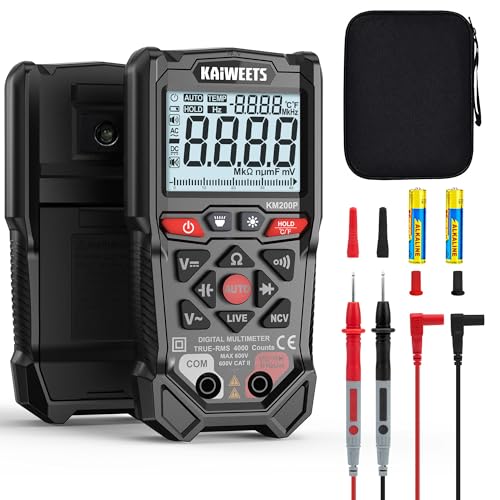
- Digital multimeter for appliance repair
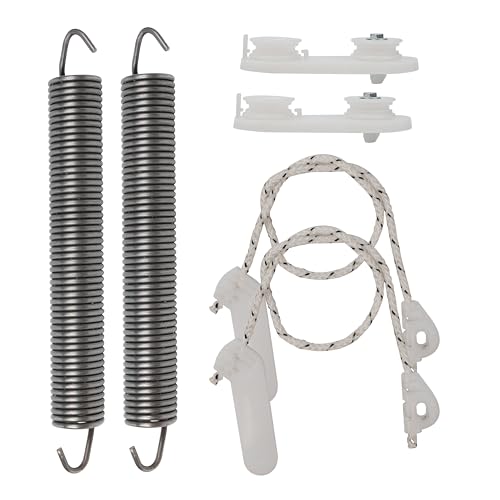
- KitchenAid dishwasher replacement parts and service kit

Before You Start
Before any reset, ensure the dishwasher is completely powered down and the door is closed. Unplug or switch off at the breaker to avoid electrical shock. Inspect the door latch and gaskets for misalignment or damage, which can cause improper sealing and triggering of fault indicators. Allow the unit to cool if it has recently run a hot wash. Estimated time for the reset procedure is typically 5–15 minutes, depending on steps used.
Step-By-Step: How To Reset The KitchenAid Dishwasher Clean Light Flashing
- Disconnect power: unplug the dishwasher or switch off the circuit breaker for 60 seconds to reset the control board.
- Restore power: reconnect the power source and prepare to run a test cycle.
- Perform a basic reset: press and hold the Sanitize or Start button for 5–10 seconds to initiate a soft reset.
- Check for a fault code: observe any blinking LEDs or a displayed code during the first cycle, which helps identify the issue.
- Run a cold rinse: start a brief cold-water wash to reset sensors and ensure water flow is clear.
- Inspect the door latch: ensure the door is fully latched; a loose or faulty latch can trigger a fault cycle.
- Check for clogs: remove and clean spray arms and filters to ensure proper water circulation.
- Test a full cycle: run a normal wash to verify that the clean light stops flashing and a typical cycle completes successfully.
Troubleshooting
| Symptom | Likely Cause | Fix | Prevention |
|---|---|---|---|
| Flashing or persistent clean light | Control board glitch or door latch issue | Reset the unit; check latch alignment and replace if needed | Regularly inspect latches; avoid slamming the door |
| Dishwasher won’t start | Power interruption or faulty start relay | Power cycle; test components with a multimeter | Keep outlet and cord in good condition |
| Water not draining | Clogged filter or pump obstruction | Clean filters and remove debris from the sump | Remove large food particles before washing |
| Unusual noises during wash | |||
| Sensor error codes | Inaccurate readings due to scale or sensor fault | Descale if mineral build-up is present; replace faulty sensors | Use appropriate rinse aid and water-softening strategies |
Common Mistakes
- Assuming a flashing light is a non-issue without testing power and doors
- Not disconnecting power during disassembly or troubleshooting
- Ignoring filter and spray arm cleaning, leading to poor performance
- Using aggressive cleaners that can damage seals or controls
Tips For Best Results
- Regularly clean filters and spray arms to maintain optimal water flow and washing performance.
- Keep the dishwasher door properly latched and avoid overloading the unit, which can trigger fault indicators.
- If the clean light keeps flashing, document any error codes and cycles to aid professional diagnosis.
- Consider a diagnostic kit with a digital multimeter for on-hand checks of fuses, relays, and sensors.
Call A Professional
Call a professional if you notice any of the following: persistent flashing after a full reset, error codes that cannot be cleared, signs of water leakage, burning smells, or if components such as the control panel or door latch appear visibly damaged. Do not attempt major electrical repairs beyond your skill level. Seek service when unfamiliar codes or repeat faults arise.
FAQ
Why is the KitchenAid dishwasher clean light flashing?
The light commonly indicates a fault, a need for a reset, or a sensor issue that requires attention.
How long should I power cycle to reset the dishwasher?
A 60-second power cycle is typically sufficient to reset the control board.
Can I reset the dishwasher without tools?
Yes, a simple power cycle and Button reset on the control panel can sometimes clear the fault.
What if the light keeps flashing after reset?
If the flashing recurs, verify door latch integrity, filter cleanliness, and check for error codes before calling a technician.
Is there a risk of shock when resetting a KitchenAid dishwasher?
Always unplug or switch off at the breaker before handling electrical components to minimize shock risk.
Buying Guide
When selecting maintenance options or replacement parts related to the KitchenAid dishwasher, consider size, compatibility, and serviceability. For users facing recurring clean-light issues, having access to a service kit and a reliable diagnostic tool can simplify troubleshooting. Compare replacement parts for compatibility with your specific model and review installation instructions. Decide whether a professional service plan or DIY repairs align with your skill level and budget. A well-chosen kit reduces downtime and helps maintain dishwasher performance over time.
Leave a Reply